
ToonScroll:Your Story Universe
NovaBeatsEntertainment
4.11.02K Reviews
- Version
- 5.7.1
- Installs
- 500.00K
- Age Rating
- Mature 17+
Screenshots
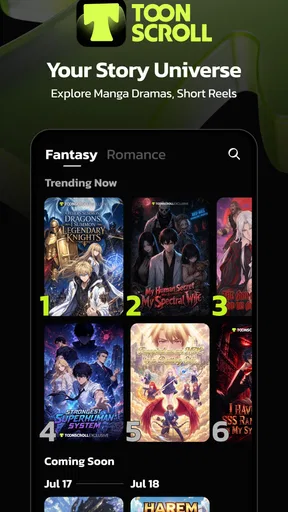
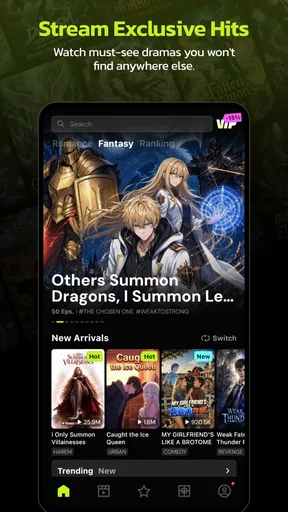
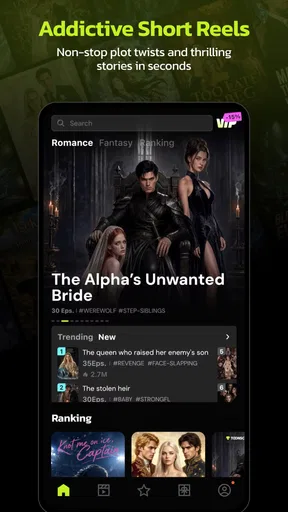
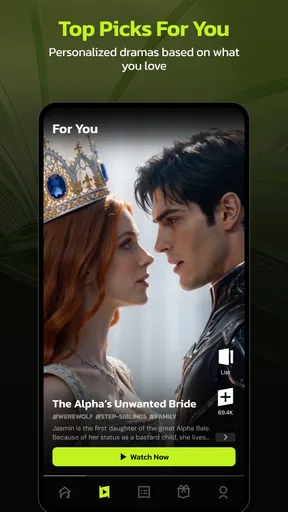
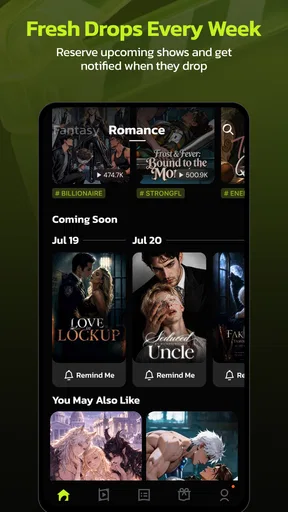
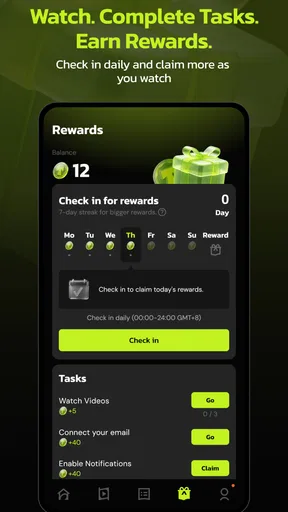
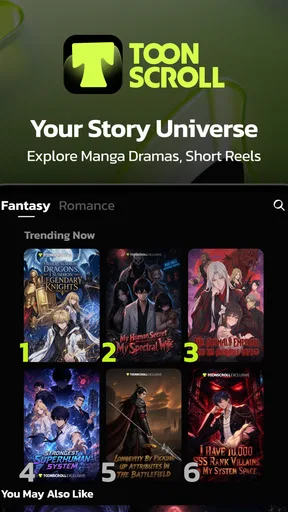
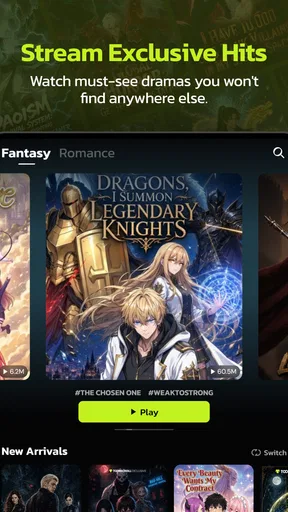
Our Review of ToonScroll:Your Story Universe
 Analysis by Appyee
I spent time with ToonScroll: Your Story Universe as an entertainment app, and my first impression was that it is aimed at people who want several kinds of easy, story-driven content in one place. Its focus brings together toons, stories, and audiobooks rather than asking me to choose a single format before I start. That makes it appealing when I want something lighter than a full streaming service or a dedicated reading platform.
The app comes from NovaBeats and is free to install, which makes trying it fairly simple. It is available for Android devices running at least Android 5.0, and the current version is 5.7.1. The audience should pay attention to the Mature 17+ rating, though, because this is not an app I would casually hand to a younger child just because its presentation includes cartoons and illustrated stories.
What interested me most was not the promise of endless entertainment, but how the app feels when I use it in ordinary situations. Can I open it quickly when I have a few spare minutes? Does it remain comfortable during a longer listening session? Is it sensible on an older phone? Those questions matter more to me than a large content label, so that is where my assessment focuses.
How ToonScroll feels during everyday use
I use ToonScroll most naturally in the small gaps that are too short for a movie but long enough to settle into a story. Its mix of visual and audio entertainment makes it easy to match the session to what I’m doing, though I’d still choose one item before I start rather than let browsing eat the break. That everyday rhythm also raises a more important question for me: how much confidence should I place in an entertainment app when I’m deciding what to open and buy?
Quick sessions are where the app makes the strongest case
ToonScroll fits naturally into short gaps in the day. I can imagine using it while waiting for an appointment, taking a break from work, or settling down before sleep. A mixed library of visual stories and audio content is useful in those moments because my attention is not always the same. Sometimes I want to look at a toon; at other times I would rather listen without keeping my eyes on the screen.
That flexibility gives it an advantage over a conventional comic reader. A comic-focused alternative may be better when I want detailed panels, careful zooming, or a large reading collection built around one format. A podcast app, meanwhile, is usually more suitable for spoken programs and subscriptions. ToonScroll sits between those habits, offering a more casual entertainment loop rather than replacing every specialist service.
I would not describe it as a tool for serious study or a carefully organized personal library. Its appeal is more immediate: open it, browse, choose something, and spend a few minutes inside a story. That distinction is important. If I am looking for a precise audiobook catalog, strong reading controls, or a system for managing a large collection, a dedicated app may feel more focused.
Perceived speed depends on what I am doing
For a newly installed entertainment app, the first thing I notice is how much effort it takes to reach something playable or readable. ToonScroll benefits from its straightforward premise. I do not need to learn a complicated creative workflow or configure a large set of tools before finding its purpose. The basic path from browsing to consuming content feels more approachable than apps that bury entertainment behind several menus.
That said, a content-rich app can feel different depending on the connection, the device, and the type of material being opened. Visual stories may demand more loading than simple text, while audio content can create its own waiting point before playback begins. I would therefore judge the app by how quickly it gets me into a specific item, not by expecting every screen to react like a calculator or notes app.
My practical tip is to use ToonScroll with a clear intention instead of endlessly browsing. If I have only five minutes, I choose a short-looking item rather than opening several previews in succession. This reduces the chance of spending the entire break deciding what to consume. It also makes the app feel faster because I am moving directly toward the part I actually want.
What happens during heavier use
The more demanding scenario is a longer session that combines browsing, visual material, and audiobook listening. That is when resource use matters most. A phone with limited free storage or modest memory may feel less comfortable with any entertainment app that presents media continuously, especially if I keep switching between sections instead of finishing one item.
I would approach longer sessions in a simple way: close unrelated apps first, keep the device charged, and avoid repeatedly jumping back and forth through many previews. These are not special ToonScroll controls; they are sensible habits for reducing unnecessary work on an older phone. They also help me distinguish between a problem caused by the device and a problem caused by the app itself.
Another useful trade-off is screen time versus listening time. When I use the visual side, the display remains central and the battery experience will naturally differ from an audio-only session. When I choose an audiobook, I can put the phone aside and use the app more passively. For me, that makes the audio side more practical on commutes or during household tasks, while the toon and story side suits moments when I can give the screen my attention.
I would not install this expecting it to be the lightest possible entertainment option. A plain text reader is usually gentler on a device, and a basic local audio player has fewer browsing demands. ToonScroll earns its place by combining formats, but that convenience can mean more activity for the phone than a single-purpose alternative.
Stability and recovering from interruptions
Reliability is especially noticeable when entertainment is interrupted. Calls, notifications, switching apps, and temporary connection changes are normal parts of using a phone. My preferred experience is one where I can return to the app without having to rethink what I was doing. With ToonScroll, I would treat recovery as part of the real test rather than judging it only from a first launch.
A good personal workflow is to remember the title or story I am currently using before leaving the app. That sounds basic, but it helps when I return after a distraction and need to locate the same item again. It is also useful for audiobook sessions, where losing my place would be more frustrating than simply reopening a visual page.
I am careful not to confuse a temporary network delay with an actual crash. Media apps can be affected by changing connectivity, and a brief pause does not automatically mean the application is unstable. My advice is to give a slow screen a moment before repeatedly tapping it. Rapidly opening the same item several times can make the experience feel worse and may create duplicate loading attempts.
The free entry point is another part of reliability from a user perspective. I can test whether the app behaves well on my particular phone without committing to a purchase first. However, the presence of in-app purchases means I would still pay attention to any purchase prompt and avoid treating the free installation as proof that every part of the experience costs nothing.
Older phones and operating-system limits
The minimum Android requirement is 5.0, so the app is not restricted to only the newest Android hardware. That is encouraging for people who keep a dependable older phone, but operating-system compatibility is not the same as identical performance across devices. Two phones that meet the same minimum can differ substantially in memory, processor speed, storage condition, and battery health.
If I were installing ToonScroll on an older device, I would first make room for normal app updates and avoid running several demanding apps at once. I would also test both sides of the experience: a visual story and an audiobook. That gives me a more useful answer than checking whether the app merely opens. If browsing is comfortable but longer media sessions are tiring, I might keep it for short use rather than making it my main entertainment service.
People with very limited storage should think about their habits before installing. The app may be a reasonable choice if they mainly stream or browse selectively, but it is less attractive if they expect to build a large offline collection. I would also avoid judging it on a phone with an almost full storage drive, because low free space can affect many apps and make troubleshooting needlessly confusing.
On iOS, I would check the current device requirements in the relevant app marketplace before planning a switch, since the Android minimum does not automatically describe Apple hardware. For Android users, the stated baseline is clear enough to identify older compatible phones, but the best experience still depends on the individual device rather than the operating-system number alone.
Who will get the most from it?
I think ToonScroll is best for casual entertainment seekers who enjoy moving between illustrated content, written stories, and audiobooks. It is particularly useful for someone whose preferred format changes with the situation. I might read when I am relaxing on a sofa, then switch to listening while doing something that occupies my hands.
It also suits people who do not want to maintain several separate apps for every kind of story content. That convenience is real, even if the app cannot match a specialist service in every individual area. A single destination can make discovery easier, especially when I am not arriving with a specific author, title, or genre in mind.
The audience size suggests that it has reached beyond a tiny experimental project: the app has passed 500 thousand installs, with an average rating of 4.1 from roughly 10 thousand ratings and about 1 thousand written reviews. I read that as a sign of established interest, not a guarantee that every user will have the same experience. Ratings are useful context, but my own device, connection, and preferred content format matter more.
The Mature 17+ label is a serious filter. I would not recommend it for children, and I would not assume that cartoon-style presentation means the material is family-friendly. Parents should choose an app intended for the child’s age instead of relying on the visual appearance of one section. Adults who prefer strictly wholesome or age-neutral entertainment may also want a different service.
Who should choose something else?
I would skip ToonScroll if my main goal were professional audiobook management. A dedicated audiobook app is usually the better choice for people who care about a large, carefully sorted library, detailed playback organization, or a listening routine built around one format. The same applies to serious comic readers who want specialized page controls and a reading environment designed entirely around panels.
I would also look elsewhere if I wanted a completely passive experience with no browsing decisions. A radio-style service or a podcast player may be more convenient when I want an automatic queue. ToonScroll makes more sense when I am willing to choose among different kinds of story content.
There is also a cost consideration. Although the app is free to install, individual in-app purchases range from $0.99 to $149.99 per item. That is a wide span, so I would review each purchase screen carefully and set a personal spending limit before exploring paid material. Users who want an entertainment app with no purchase prompts or no possibility of high individual transactions may feel more comfortable with a different option.
My advice is not to judge the app solely by its free label. Install it because the combined format is useful to you, then decide whether the free experience matches your habits. If you only want one narrow type of content, the extra variety may feel like clutter rather than value.
Three practical ways I would use it
My first workflow would be a “short break” routine. I would open the app with a time limit in mind, choose one story or toon, and avoid switching sections until I finish or reach the end of the break. This turns the broad catalog into a focused session and helps prevent browsing from taking longer than the entertainment itself.
My second workflow would be audio-first use during chores. I would select an audiobook before starting the task, place the phone somewhere safe, and avoid repeatedly checking the screen. This is where the mixed-format design becomes more than a slogan: the same app can follow me from visual reading to hands-free listening depending on what I am doing.
My third workflow would be a device check before committing to regular use. I would try the app on the phone I actually plan to use, test a visual item and an audio item, then leave and return after an interruption. That small test reveals whether the app fits my storage, battery, connection, and multitasking habits. It is more meaningful than assuming that a newer phone will behave exactly like an older one.
What the current release tells me
Version 5.7.1 gives the app a current release point to work from, while its original release date of March 16, 2022, shows that it is not a brand-new experiment. I see that as a useful balance: it has had time to establish itself, but I would still keep the app updated through the normal store process so that my installation matches the current release.
The developer, NovaBeats, presents the product as an entertainment experience rather than a productivity tool. That positioning matches how I would use it. I would not expect it to organize my life, teach a structured course, or replace a dedicated media library. Its value is in giving me a flexible way to spend spare time with stories and audio.
My performance verdict
After considering speed expectations, heavier sessions, interruptions, and device limits, I see ToonScroll as a convenient middle ground. It is not the obvious winner for a specialist reader or audiobook listener, but it has a clear advantage when I want both options without maintaining separate entertainment habits.
The best reason to install it is format flexibility, not raw technical ambition. I would recommend it to adults who enjoy casual story discovery, have a compatible Android phone, and are comfortable checking purchase prompts. I would be more cautious for owners of very old or crowded devices, people seeking a completely child-safe catalog, and users who need advanced controls from a dedicated reading or audiobook platform.
Overall, I think the free installation makes ToonScroll: Your Story Universe worth testing for the right audience. My recommendation is conditional but positive: use it in short, intentional sessions first, try both visual and audio content, and see how your own phone handles returning from interruptions. If that mixed routine feels natural, the app can become a handy entertainment companion. If you already know that you want one highly specialized format, a focused alternative will probably serve you better.
Verdict
Strengths of ToonScroll:Your Story Universe
- Large library of interactive stories across multiple genres.
- Simple swipe-based controls make reading comfortable on mobile devices.
- Story progress is saved, making it easy to continue later.
- Regular content updates can keep the experience feeling fresh.
- Suitable for readers who prefer short, visually rich episodes.
Limitations of ToonScroll:Your Story Universe
- Some stories or chapters may require in-app purchases to unlock.
- The reading experience can become repetitive after extended sessions.
- Availability of certain content may vary by region or platform.
- Frequent notifications may be distracting for some users.
- Requires a stable internet connection for parts of the catalog.
Similar Picks in This Category
View All
Google Play Games
Google LLC3.9

Netflix
Netflix, Inc.4.8

YouTube Kids
Google LLC4.2

Disney+
Disney4.4

Prime Video
Amazon Mobile LLC4.7

Steam
Valve Corporation3.2
Frequently Asked Questions
What is ToonScroll: Your Story Universe?
ToonScroll: Your Story Universe is an interactive storytelling app built around serialized visual stories, comics, and animated-style episodes. It is designed for users who enjoy reading character-driven fiction while making choices or exploring different story moments. The app combines illustrated scenes, dialogue, and mobile-friendly navigation to create an entertainment experience that feels more dynamic than reading a traditional digital comic.
Is ToonScroll: Your Story Universe free to download and use?
ToonScroll: Your Story Universe can generally be downloaded without an upfront charge, but the available content and features may depend on the app’s current monetization system. Some episodes, story branches, bonus items, or early-access chapters may require in-app purchases, subscriptions, or the use of earned credits. Before downloading, users should check the store listing for the latest pricing and purchase details.
Does ToonScroll: Your Story Universe require an internet connection?
An internet connection is usually needed to download the app, load story chapters, synchronize progress, and access newly released content. Depending on the version, some previously opened episodes may remain available offline, but users should not assume that every feature works without connectivity. A stable Wi-Fi or mobile-data connection is recommended, particularly when loading illustrated or animated scenes.
Is ToonScroll: Your Story Universe suitable for children?
The app’s suitability depends on the themes, language, romance, conflict, and mature situations included in its individual stories. Because interactive fiction can vary considerably between series, parents should review the official age rating and read the content description before allowing younger users to play. It is also advisable to check whether in-app purchases, advertising, social features, or external links are available.
What devices support ToonScroll: Your Story Universe?
ToonScroll: Your Story Universe is intended for compatible Android and iOS smartphones or tablets, although exact operating-system requirements can change as the app receives updates. Users should confirm the latest requirements on Google Play or the Apple App Store before installing. Sufficient free storage is also important because visual story assets, updates, and downloaded episodes may occupy more space over time.
